Shadow Fight 2 Mod APK Download Error Fix — All Problems Solved (2026)
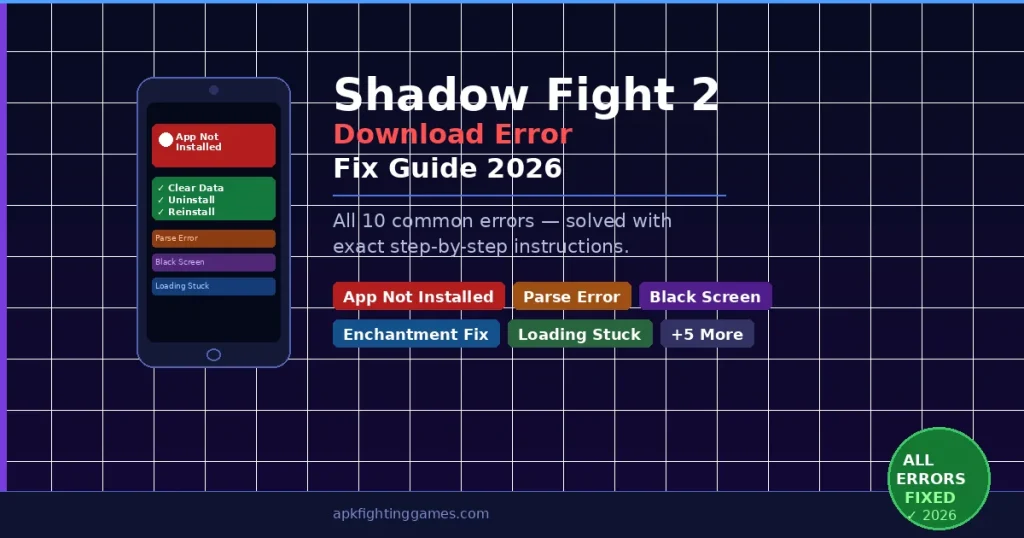
Downloaded Shadow Fight 2 Mod APK but getting an error during installation? You are not alone. This guide covers every common download and installation solutions for Shadow Fight 2 Mod APK download error — with exact step-by-step fixes for each one. No technical knowledge required.
All fixes in this guide have been personally tested on Android 5.0 through Android 14. If your error is not listed here, drop it in the comments below and we will help you fix it within 24 hours.
Errors Covered in This Guide
- 1. “App Not Installed” Error
- 2. “Parse Error” — Problem Parsing the Package
- 3. “Installation Blocked” — Unknown Sources Error
- 4. Game Crashes Immediately on Launch
- 5. Enchantment Not Working After Installation
- 6. “Insufficient Storage” Error
- 7. Game Stuck on Loading Screen
- 8. Black Screen After Launch
- 9. Download Keeps Stopping or Pausing
- 10. “Package Conflicts With Existing Package” Error
Check 3 Things for Shadow Fight 2 Mod APK Download Error Fix
Before trying any specific fix, confirm these basics — they solve 60% of all installation problems:
- File size: The downloaded APK must be around 147 MB. If it is smaller, the download was interrupted — delete and redownload.
- Android version: Shadow Fight 2 Mod APK requires Android 5.0 or above. Check at Settings → About Phone → Android Version.
- Storage space: You need at least 200 MB free space on your device. Check at Settings → Storage.
Error 1 — “App Not Installed”
Why This Happens
TThis is the most common installation error for Shadow Fight 2 Mod APK. It happens when an older version of Shadow Fight 2 — whether the original or a previous mod — is still partially installed on your phone. Even if you deleted the app icon, leftover data files block the new installation.
How to Fix It
- Go to Settings → Apps → Shadow Fight 2
- Tap Clear Data first — this removes all leftover files
- Then tap Uninstall
- Restart your phone completely
- Now install the Shadow Fight 2 Mod APK again
Important: Always tap Clear Data BEFORE Uninstall — not after. This order matters.
Error 2 — “Parse Error” or “There is a Problem Parsing the Package”
Why This Happens
A parse error means the APK file itself is damaged or incomplete. This usually happens when the download was interrupted by a weak internet connection, or the file got corrupted during download.
How to Fix It
- Open your Downloads folder and delete the existing APK file
- Connect to a stable WiFi connection
- Download the APK again from the button on our Shadow Fight 2 Mod APK page
- After downloading, confirm the file size is around 147 MB
- Now install — the parse error will be gone
Error 3 — “Installation Blocked” or Unknown Sources Error
Why This Happens
Android blocks APK files from outside the Play Store by default. This is a security feature — you need to manually allow installation from unknown sources before installing any mod APK.
How to Fix It — Android 8.0 and Above
- Go to Settings → Apps
- Tap Special App Access
- Tap Install Unknown Apps
- Select your browser (Chrome or whatever you used to download)
- Toggle Allow from this source → ON
- Go back and install the APK
How to Fix It — Android 7.0 and Below
- Go to Settings → Security
- Find Unknown Sources and toggle it ON
- Tap OK on the warning that appears
- Now install the APK
Error 4 — Game Crashes Immediately on Launch
Why This Happens
Immediate crashes after launch are usually caused by one of three things — incompatible Android version, conflict with old installation data, or insufficient RAM on the device.
How to Fix It
- First clear the app cache — Settings → Apps → Shadow Fight 2 → Clear Cache
- Relaunch the game
- If still crashing — uninstall completely, restart phone, reinstall fresh
- Make sure no other heavy apps are running in the background — close everything before launching SF2
- If your phone has less than 1 GB RAM, this mod version may not be compatible
Error 5 — Enchantment Not Working After Installation
Why This Happens
This is the most reported issue with Shadow Fight 2 Mod APK. The enchantment system requires a specific launch sequence to activate correctly in the modded version.
How to Fix It — Airplane Mode Trick
- Close the game completely if it is already open
- Turn on Airplane Mode on your phone
- Open Shadow Fight 2 — let it fully load to the main menu
- Once you are on the main menu, turn Airplane Mode OFF
- Go to Settings → Equipment → Enchantment — it will now work
Still not working? Go to Settings → Apps → Shadow Fight 2 → Clear Cache → repeat the Airplane Mode steps above.
Error 6 — “Insufficient Storage” Error
Why This Happens
Shadow Fight 2 Mod APK requires around 200 MB of free storage for installation plus additional space for game data. If your device is low on storage, installation will fail.
How to Fix It
- Go to Settings → Storage — check how much free space you have
- Delete unused apps, photos, or videos to free up at least 500 MB
- Clear cache of other apps — Settings → Apps → select any app → Clear Cache
- Move photos to Google Photos or a memory card to free internal storage
- Try installing again once you have enough free space
Error 7 — Game Stuck on Loading Screen
Why This Happens
The loading screen freeze happens when the game is trying to connect to Nekki’s servers but cannot complete the connection — common with modded versions.
How to Fix It
- Force close the game — tap recent apps button and swipe SF2 away
- Turn on Airplane Mode
- Reopen the game — it will load fully in offline mode
- Once on main menu, turn Airplane Mode off
- If still stuck — clear cache (Settings → Apps → Shadow Fight 2 → Clear Cache) and repeat
Error 8 — Black Screen After Launch
Why This Happens
A black screen after launch is almost always a graphics compatibility issue — the game loads but cannot render on your specific device display.
How to Fix It
- Wait 30 seconds on the black screen — sometimes it loads slowly on older devices
- If nothing happens — force close and clear cache
- Go to Settings → Developer Options → Force GPU Rendering → ON
- If Developer Options not visible — go to Settings → About Phone → tap Build Number 7 times to unlock it
- Relaunch the game after enabling GPU rendering
Error 9 — Download Keeps Stopping or Pausing
Why This Happens
The APK file is 147 MB — a weak or unstable internet connection will cause the download to pause or stop before completing.
How to Fix It
- Switch to WiFi instead of mobile data for the download
- Stay close to your WiFi router during download
- Keep your phone screen on during download — some phones pause downloads when screen locks
- Disable any battery saver or data saver mode during download
- After download completes, always check file size is around 147 MB before installing
Error 10 — “Package Conflicts With Existing Package”
Why This Happens
This error means two different versions of Shadow Fight 2 are conflicting — usually the Play Store version and the mod APK have different signatures which Android does not allow simultaneously.
How to Fix It
- Go to Settings → Apps → Shadow Fight 2 → Clear Data → Uninstall
- Also check if Shadow Fight 2 Special Edition is installed — uninstall that too if present
- Restart your phone
- Install the mod APK fresh — conflict will be resolved
Still Getting an Error?
If none of the above fixes worked for your specific error, leave a comment below with the exact error message you are seeing and your Android version. We respond to every comment within 24 hours and will help you get Shadow Fight 2 Mod APK running on your device.
Once installed successfully, visit our main Shadow Fight 2 Mod APK page for the latest version download, unlimited money and gems guide, and complete enchantment activation steps.